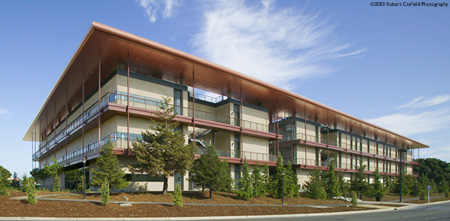
CLARK CENTER ROOM SCHEDULING
Policy Updates:
1) NeXus Café is the preferred caterer for all Clark Center events and is mandatory in the Courtyard. In the past, outside caterers have severely damaged the walls in the building and courtyard. For events in all Clark Center rooms and spaces, especially the Courtyard, if you receive an exception from the Clark Administrator allowing outside catering for an event, the event organizer must chaperone and supervise the caterers at all times to ensure that caterers leave the premises without causing damage to the building.
2) Since we do not charge a fee for our rooms, we expect that meetings are open to all students and faculty and that there is no registration fee for attendance. If you decide to charge a registration fee we will need to review the reason behind the charge and you will need approval from our office for registration fees.


STANFORD CALENDAR (ZIMBRA)
Please note that creating an Appointment and selecting a meeting room in Clark Center using 'Find Locations' in Zimbra calendar does not create a room reservation request.
You will receive an email message from the Location indicating the meeting has been Declined, and the event will not appear on the Location calendar. The Appointment will remain on your calendar, which may cause some confusion. You must use our online request form for all room requests in Clark Center. You will receive an email invitation for all approved events from the Clark Center Administrator.
Room reservation requests must be submitted via the online
form (SUNet ID req.)
To cancel a reservation, email: clarkreservations@stanford.edu
Peet's Coffee at Clark: (650) 324 3529
NeXus Cafe: (650) 324 3447
Auditorium:
The Clark Center Auditorium is a theater-style auditorium with a small adjoining lobby, located in the basement. Tiered seating with tablet arms. The auditorium seats 150. Equipment: Video Projector, VCR, microphone, whiteboard, podium
Policy
| Seminar
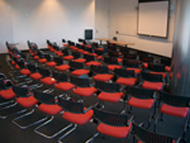
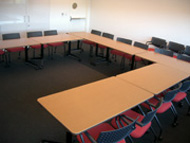
Rooms: All seminar rooms are located on the 3rd Floor, South Wing of the Clark Center and are equipped with an LCD Video Projector, Smart Panel, VCR and whiteboard Policy |
|
 |
|
| Seminar Room S360 (seats 74) Seminar Room S361 (seats 64) theater style rooms, chairs with table arms, no tables |
|
 |
|
| Seminar Room S362 (seats 25) Seminar Room S363 (seats 25) conference style rooms, chairs, tables |
|
Conference Rooms
For Clark Center occupant use only
(W155: May be reserved by Covert, Barron and Shatz labs)
| Room | Floor | Wing | Max Capacity |
| E105 | 1st | East | 20 |
| E205 | 2nd | East | 20 |
| E305 | 3rd | East | 20 |
| S222 | 2nd | South | 16 |
| W255 | 2nd | West | 18 |
| W355 | 3rd | West | 18 |
Policy
Clark Courtyard
All events in the courtyard must be approved by the Clark Center room scheduler. Please wait for written confirmation from our Clark Center room scheduler before organizing catering in the courtyard area. Catering in the courtyard must be arranged through NeXus Cafe (650 324-3447).
Please read the policy.
NeXus dining area (After-hours only)
All after-hours events in NeXus must be approved by the Clark Center room scheduler. You must receive written confirmation from the Clark Center room scheduler before arranging catering in the NeXus dining area. Please read the policy.
Clark Center Lounge
Located in NeXus Cafe. Reservation requests for the Clark Center Lounge should be submitted via the online form. Please note that approval for reservations for this space is at the discretion of Clark Facilities.